On this page
- QuickstartCreate a project, install the SDK, send a test error.
- Keys and tokensPublishable keys, secret keys, the DSN, live and test mode.
- Browser SDKnpm, script tag, options and privacy.
- Source mapsReadable stack traces for minified code.
- IntegrationsSentry, Slack, Jira, Linear and GitHub Issues: what to create and where.
- APIAuthentication, ingest endpoints and the REST API.
- LimitsRate limits, body sizes and retries.
Quickstart
- Create a project. In the app, open Settings → Projects → New project. Each project gets an ingest id and a publishable key, shown together as its DSN.
- Install the SDK and call
initwith the DSN, as early as possible when your app loads. See Browser SDK. - Send a test error. Use Send test event on the project, or throw one from your app. It appears in the Inbox within seconds.
- Upload source maps from your build so stack traces point at your real code. See Source maps.
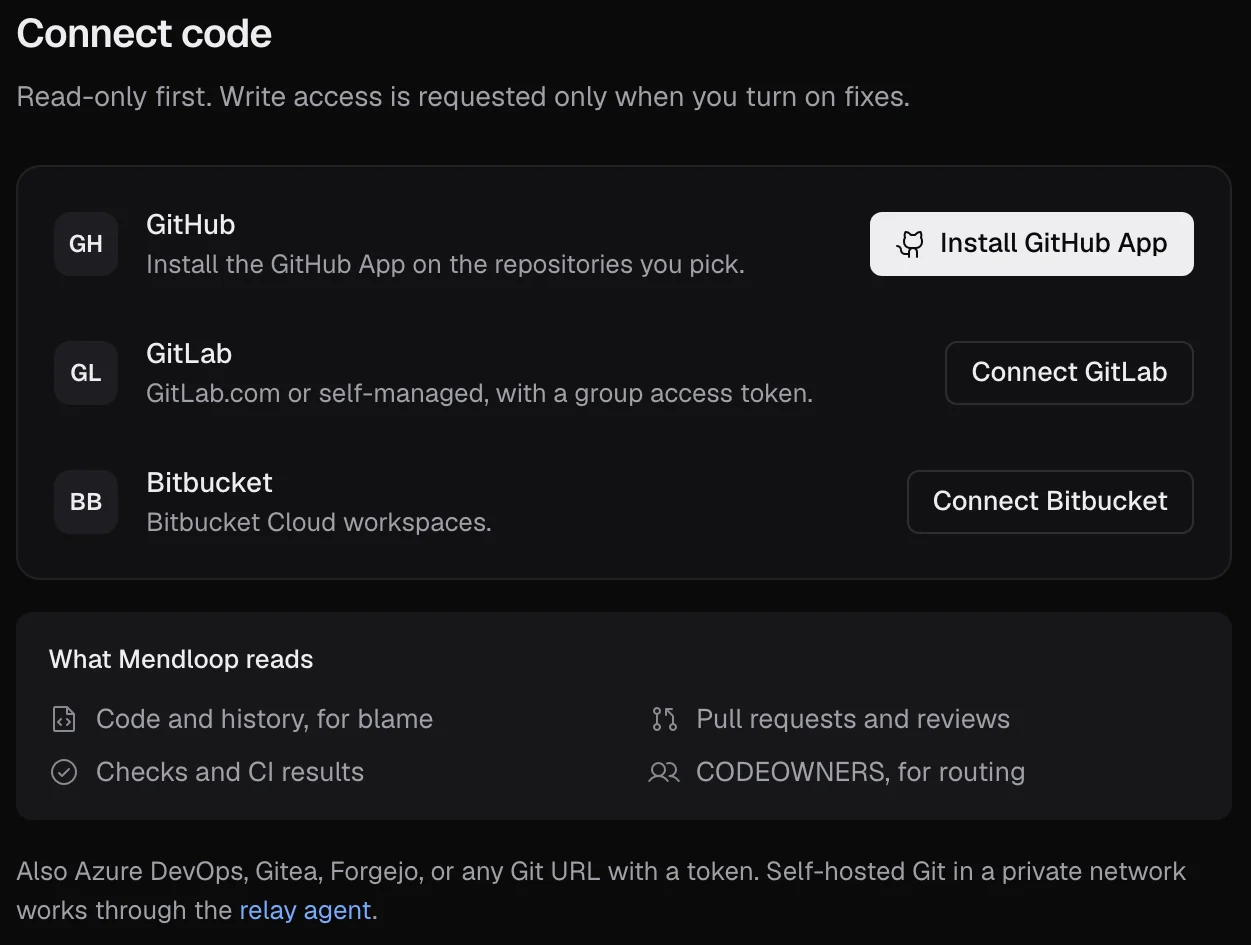
- Connect your tools: Slack for approvals, a tracker for tickets, Sentry if you already use it. See Integrations.
Already on Sentry? You don't have to change SDKs. Mendloop accepts Sentry envelopes, so pointing an existing Sentry SDK at a Mendloop DSN works as is.
Keys and tokens
Create and revoke keys in Settings → API keys. A key is shown in full once, when it's created; after that only its prefix.
| Key | Looks like | Use it for | Safe to make public? |
|---|---|---|---|
| Publishable | pk_live_… pk_test_… | SDKs in browsers and mobile apps. It can only send events (events:write). | Yes. It ships inside your app. |
| Secret | sk_live_… sk_test_… | The REST API, CI, the source-map CLI, server-side SDKs. | No. Keep it in a secret store or environment variable. |
The DSN is the publishable key plus where to send events: https://pk_live_xxx@ingest.getmendloop.com/42, where 42 is the project's ingest id. Copy it from the project's settings.
Live and test mode are separate. A _test_ key sends to test mode, where nothing is written to your real repos, trackers or channels. Use test keys in staging and for trying workflows.
Scopes for secret keys:
| Scope | Allows |
|---|---|
events:write | Send errors and logs |
sourcemaps:write | Upload source maps |
releases:write | Mark deploys |
issues:read / issues:write | Read issues and root causes / assign, ignore, comment |
projects:read / projects:write | List projects / create and rename them |
analytics:read | Read analytics |
audit:read | Read the audit log |
If a publishable key is abused, rotate it: create a new one, ship it in your next release, then revoke the old one. Only that project is affected.
Browser SDK
@mendloop/browser: no dependencies, about 8 KB gzipped.
$ pnpm add @mendloop/browser

import * as Mendloop from "@mendloop/browser";

Mendloop.init({
  dsn: "https://pk_live_xxx@ingest.getmendloop.com/42",
  environment: "production",
  release: "web@1.8.2",   // match the release you upload source maps for
});

Mendloop.setUser({ id: user.id });   // hashed at ingest
Mendloop.setTag("plan", "pro");
Mendloop.captureException(err);
Or with a script tag, no build step:
<script
  src="https://unpkg.com/@mendloop/browser@0.1.0/dist/mendloop.min.js"
  data-dsn="https://pk_live_xxx@ingest.getmendloop.com/42"
  data-env="production"
  data-release="web@1.8.2"
  crossorigin="anonymous"></script>
Captured automatically: uncaught errors, unhandled promise rejections, console.error, failed fetch and XHR calls (5xx and network errors), plus breadcrumbs for clicks, navigation and requests.
| Option | Default | What it does |
|---|---|---|
dsn | Where to send events. Required. | |
environment, release | Sent with every event. Use one project with several environments rather than a project per environment. | |
sampleRate | 1 | Fraction of events to send. |
beforeSend | Change an event, or return null to drop it. | |
ignoreErrors | [] | Strings or regexes for errors to ignore. |
maskSelectors | [] | Extra elements whose text is never recorded. |
enabled | true | false turns every call into a no-op, for local development. |
Privacy in the browser: input values are never read, sensitive URL parameters and headers are filtered, and tokens, JWTs and card numbers are masked before anything leaves the page. Ingest scrubs and hashes again.
Source maps
Upload the maps from each build so minified stack traces become your real files and line numbers.
$ mendloop sourcemaps upload ./dist \
    --release web@1.8.2 \
    --org ORG_ID --project PROJECT_ID \
    --key sk_live_…        # a secret key with sourcemaps:write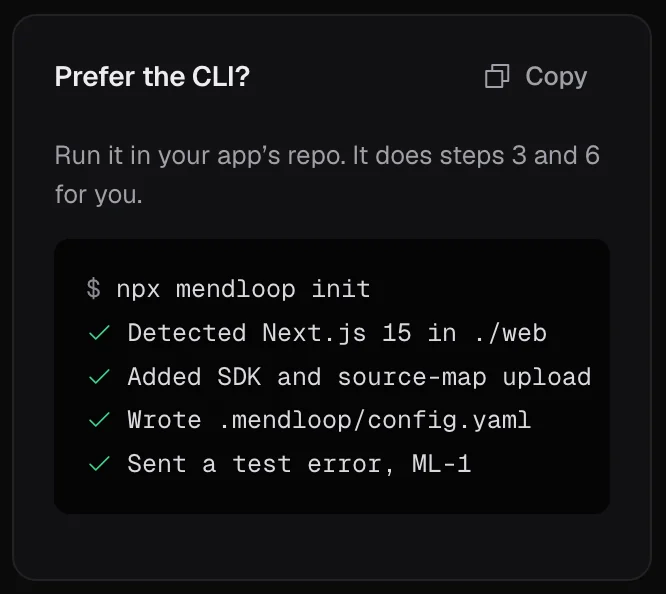
The --release must equal the release you pass to init. Run it in CI after the build, with the key stored as a CI secret. You can also upload files in the app under Project → Releases.
Integrations
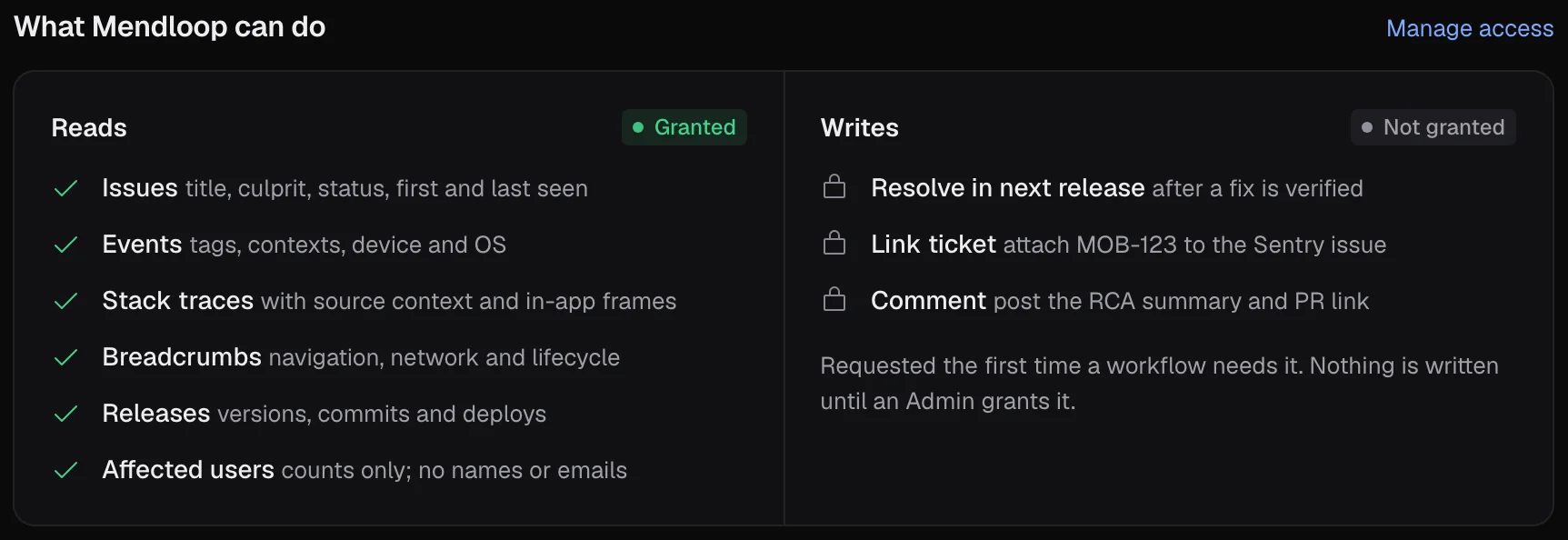
Connect in the app under Integrations. Each connection runs a set of checks (token valid, scopes right, a sample read) and isn't complete until they pass.
Every connection starts read-only. Ask for the scopes listed here and no more; if a token has extra write access, the checks pass with a warning.
Webhooks. Each connection shows its own webhook URL, in the form https://ingest.getmendloop.com/hooks/<tool>/<connection_id>. Paste it into the tool so changes reach Mendloop right away. Webhooks are optional for the checks: without them Mendloop still reads through the tool's API.
| Tool | You create | You paste into Mendloop |
|---|---|---|
| Sentry | An internal integration | Token, client secret, organization slug, Sentry URL |
| Slack | Nothing on the cloud: click Add to Slack | A channel to post in |
| Jira | An API token (Cloud) or personal access token (Data Center) | Site URL, email and token |
| Linear | A personal API key | The key |
| GitHub Issues | A fine-grained personal access token | The token and owner/repo |
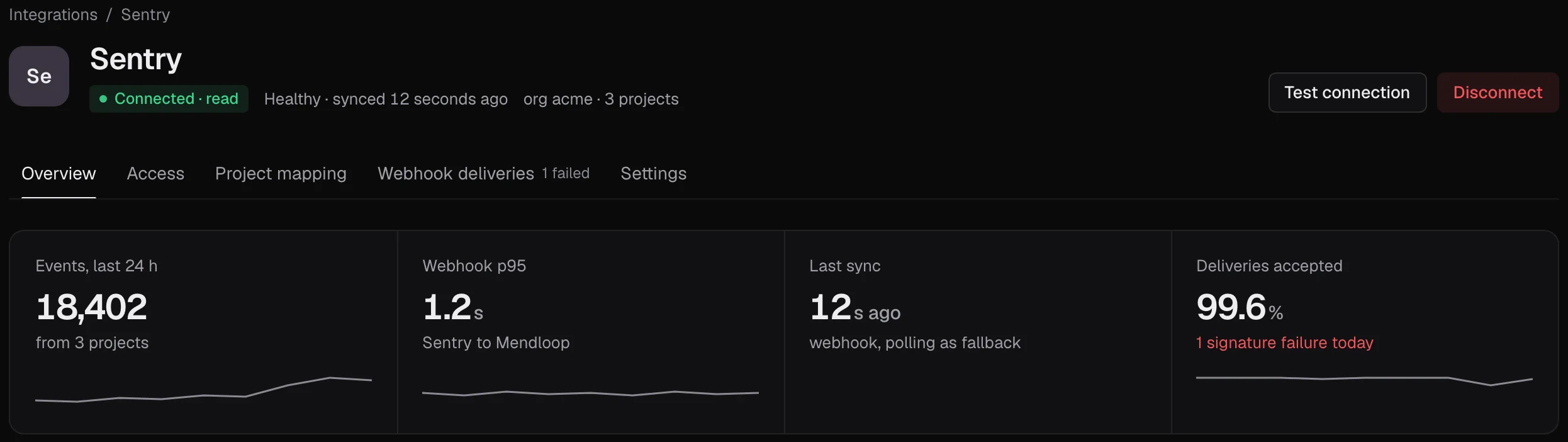
Sentry
Reads issues and events from sentry.io or self-hosted Sentry and links them to the same issue as your SDK events.
- In Sentry: Settings → Developer Settings → Custom Integrations → Create New Integration → Internal Integration. Name it
Mendloop. - Permissions: Project: Read, Issue & Event: Read, Organization: Read. Everything else: No Access.
- Webhooks: tick issue, and error if your Sentry plan offers it. Save.
- Copy the Token and the Client Secret from the integration's page.
- In Mendloop, connect Sentry and fill in the token, client secret, organization slug (the
acmeinacme.sentry.io) and base URL (https://sentry.io,https://de.sentry.iofor the EU, or your own URL). - Map Sentry projects to Mendloop projects, then paste the connection's webhook URL back into the Sentry integration.
The client secret checks that webhooks really come from Sentry (the Sentry-Hook-Signature header).
Slack
Approval requests with buttons, thread updates from triage to merge, and /mendloop commands.
- In Mendloop, open Integrations → Slack → Add to Slack and approve the install in Slack.
- Choose the default channel for notifications and, optionally, a test channel for test mode. Invite the bot to private channels with
/invite @Mendloop. - The checks post a test message; click Confirm in it to finish.
- Each teammate links their own Slack account from Settings → Notifications, so approvals reach the right person.
Self-hosting? Create your own Slack app from the manifest at /api/v1/integrations/slack/manifest, then set SLACK_CLIENT_ID, SLACK_CLIENT_SECRET and SLACK_SIGNING_SECRET from the app's Basic Information page, and MENDLOOP_PUBLIC_API_URL to an address Slack can reach. You can also paste a bot token (xoxb-…) and the signing secret by hand.
Scopes: chat:write, chat:write.public, commands, im:write, users:read, users:read.email, channels:read, groups:read. A channel id starts with C and is at the bottom of the channel's About tab.
Jira
Creates and updates tickets for issues and keeps their status in sync both ways.
Jira Cloud (*.atlassian.net) | Jira Data Center / Server | |
|---|---|---|
| Token | API token from id.atlassian.com → Security → API tokens | Personal access token from your Jira profile |
| Also paste | Site URL and the email you sign in with | Site URL |
- Use an account with these project permissions: Browse projects, Create issues, Edit issues, Transition issues, Add comments, Assign issues.
- Connect in Mendloop, pick the Jira project and map its required fields. The checks do a dry-run create.
- Optional: in Jira, System → Webhooks, add the connection's webhook URL for issue updated and comment created, with a secret. Paste the same secret in Mendloop.
Linear
Creates and updates Linear issues and keeps their state in sync.
- In Linear: Settings → Security & access → Personal API keys → New key, with read and write access (or Create issues and Create comments). It starts with
lin_api_. - Connect in Mendloop, paste the key and choose the team (for example
ENG). - Optional: in Linear, Settings → API → Webhooks, add the connection's webhook URL for Issues and Comments, and paste the signing secret Linear shows into Mendloop.
GitHub Issues
Opens and updates GitHub issues and keeps their state in sync.
- In GitHub: Settings → Developer settings → Fine-grained tokens → Generate new token. Choose only the repositories Mendloop should file in, with Issues: Read and write and Metadata: Read. It starts with
github_pat_. Classic tokens (ghp_…) withrepoalso work. - Connect in Mendloop, paste the token and the repository as
owner/repo. - Optional: in the repository, Settings → Webhooks → Add webhook, use the connection's webhook URL, content type JSON, a secret, and the Issues and Issue comments events. Paste the same secret in Mendloop.
Code access for root causes and pull requests comes through the GitHub App, which arrives with the Git integrations.
Coming next
| Code | GitHub App, GitLab, Bitbucket, Gitea |
|---|---|
| Errors and logs | Crashlytics, Bugsnag, Rollbar, Grafana Loki, Datadog, Vercel log drains, Elastic, Papertrail |
| CI | GitHub Actions, CircleCI, Buildkite, Bitrise |
| Tickets and chat | Shortcut, Microsoft Teams, Discord, Google Chat |
| On-call | PagerDuty, Opsgenie, incident.io |
| Support | HubSpot, Zendesk, Zoho Desk, Intercom, Freshdesk |
| Flags and analytics | LaunchDarkly, Statsig, Unleash, PostHog, Amplitude, Mixpanel |
| Sign-in | Okta, Google Workspace, Microsoft Entra ID |
API
JSON over HTTPS. Errors return a code, a message and a hint that says how to fix it.
Two parts: ingest, which receives events with a publishable key, and the REST API under /api/v1, which needs a secret key.
Send an event from any language (servers, scripts, mobile):
$ curl https://ingest.getmendloop.com/v1/events?project=42 \
    -H "X-Mendloop-Key: pk_live_…" \
    -H "Content-Type: application/json" \
    -d '{"message": "Payment webhook timed out", "level": "error",
         "environment": "production", "release": "api@2.4.0"}'
{"id": "…"}| Endpoint | For |
|---|---|
POST /api/{ingest_id}/envelope/ | Sentry envelopes: the Mendloop SDK and any Sentry SDK |
POST /api/{ingest_id}/store/ | Older Sentry SDKs (one JSON event) |
POST /v1/events | One JSON event, key in X-Mendloop-Key or Authorization: Bearer |
POST /hooks/{tool}/{connection_id} | Webhooks from connected tools, signed by each tool |
Call the REST API with a secret key. The key's mode (live or test) decides which data you see.
$ curl https://app.getmendloop.com/api/v1/orgs/ORG_ID/issues \
-H "Authorization: Bearer sk_live_…"| Resource | Main endpoints |
|---|---|
| Issues | GET /issues, GET /issues/stats, GET /issues/{id}, PATCH /issues/{id} (status, assignee, severity), GET /issues/{id}/events, POST /issues/{id}/ignore, /merge, /unmerge, POST /issues/bulk |
| Tickets | POST /issues/{id}/ticket, GET /issues/{id}/tickets, GET/PUT /projects/{id}/tracker |
| Projects | GET/POST /projects, PATCH /projects/{id}, POST /projects/{id}/test-event |
| Releases | GET /projects/{id}/releases, POST/GET /projects/{id}/releases/{release}/files |
| Approvals | GET /approvals, GET /approvals/{id}, POST /approvals/{id}/decide |
| Connections | GET/POST /connections, POST /connections/{id}/verify, GET /connections/{id}/deliveries |
| Team and policy | /members, /invites, /teams, /policies, /identities |
| Keys and audit | GET/POST /api-keys, DELETE /api-keys/{id}, GET /audit |
| Live updates | GET /stream (server-sent events) |
Lists are paginated. The full, typed reference is the OpenAPI spec served by your Mendloop API.
Limits
- Rate limitEach project has a per-second event limit. Over it, ingest answers
429withRetry-After; the SDK pauses and retries on its own. - DuplicatesEvents with an
event_idalready seen are dropped, so retries are safe. - Body sizeLarge or over-compressed bodies are refused. Send one event per
/v1/eventsrequest. - RetentionRaw events are kept for 30 days by default. Issues keep their counts and the evidence cited in root causes.
Stuck? Every failed connection check says what's wrong and how to fix it. Or write to hello@getmendloop.com.